Geo Tracker - GPS tracker
Ilya BogdanovichTravel & Local
4.52.70K Reviews
- Version
- 5.6.2
- Installs
- 10.00M
- Age Rating
- Everyone
Screenshots
Our Review of Geo Tracker - GPS tracker
 Analysis by Appyee
On a family walk, a weekend ride or a drive through somewhere unfamiliar, it can be useful to know the route you actually took rather than relying on memory. That is the simple appeal of Geo Tracker - GPS tracker: it records a trip so I can look back at the path and its statistics afterward. I find it most helpful when the journey itself matters, not just the destination. It is a focused travel and local app from developer Ilya Bogdanovich, and its straightforward approach makes it easier to pick up than a full navigation suite.
A shared phone can make a useful trip log
Imagine taking turns carrying one phone on a family hike. One person starts the recording, and later everyone can check the route together, see where the group paused, and remember which fork led to the viewpoint. That is a practical shared-device use: the phone records the outing, while the track becomes a record the group can discuss afterward. It is not the same as a live family location service, and I would not treat it as one. Its value is documenting a journey rather than coordinating people’s positions in real time.
This distinction matters when several people use the same device. The person holding the phone controls when a track begins and ends, so the group should agree on that before setting off. For a short walk, that may be as simple as deciding to start at the trailhead and stop at the car. For a day with several separate errands or activities, separate recordings are easier to understand later than one long track that joins unrelated stops together.
Set boundaries before you press start
A recorded route can show more than a scenic trail. It may also capture the path between home, a regular activity, and other familiar places. I would make a habit of checking the map and track before sharing it, especially if the phone is used by more than one person. A route that is useful for planning a return walk may reveal private routines when sent to a larger group. Review the track before exporting it, and share only the part that serves a clear purpose.
It also helps to make the start-and-stop routine part of the outing rather than an afterthought. Start only when the trip you want to keep begins, and stop when it ends. If the phone changes hands, tell the next person whether tracking is still running. This small agreement prevents a shared device from quietly collecting a longer route than anyone intended. The app is a trip recorder, not a household account manager, so simple communication is what keeps shared use clear.
Coordination without treating it as live tracking
For coordinating a group, I see Geo Tracker as a before-and-after tool. A person can record a route and share the resulting track so others can understand where the group went or follow the same path on a later outing. That can be handy when a family wants to repeat a walk, or when friends compare routes after meeting at a destination. It does not replace calling or messaging someone who is late, nor should a saved track be mistaken for a live indication of where they are now.
There is a useful planning habit here: after a trip, look at the route while the landmarks and decisions are still fresh. Note which turn was confusing, where the group took a break, or where a shorter loop might branch off. A saved track can make those conversations more concrete than “we went somewhere near the river.” But if the main need is turn-by-turn directions, traffic-aware driving, or seeing companions move on a map as they travel, a dedicated navigation or live-location app is the better fit.
Age, trust and expectations
The app is rated for Everyone, which makes it suitable for general audiences, but that does not mean every track should be shared without thought. With children or younger family members, I would explain what a recording does in plain terms: it saves the route from an outing, and the person using the phone should know when that is happening. I would also keep sharing decisions with a responsible adult rather than treating the app as a substitute for supervision.
For older relatives, the low-friction start-and-stop approach may be easier than learning a complicated mapping workflow, but the family should still show them how to confirm that a recording has ended. The goal is not to monitor someone; it is to preserve a route they chose to record. That boundary keeps the tool useful and avoids creating expectations about alerts, emergency response, or automatic check-ins that a trip log is not meant to provide.
Getting to Know Geo Tracker
First things first, setting up Geo Tracker - GPS tracker is a breeze. Once you download it from the Google Play Store or the App Store, you’re greeted with a clean and intuitive interface. The app doesn’t bombard you with unnecessary features and focuses on what it does best—tracking your journey.
Upon launching, I was impressed by the simplicity of the main screen. It has all the important elements such as start, stop, and view history buttons right at your fingertips. No need to dive into complicated menus. Just tap and go. Easy peasy!
Tracking Your Adventures
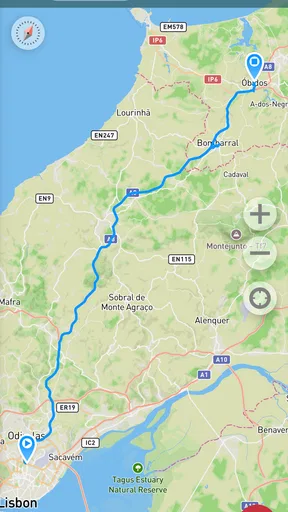
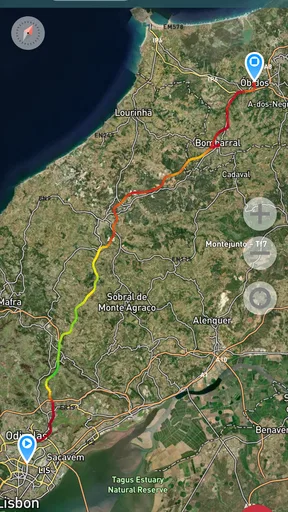
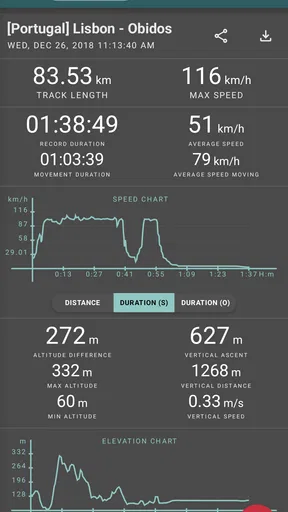
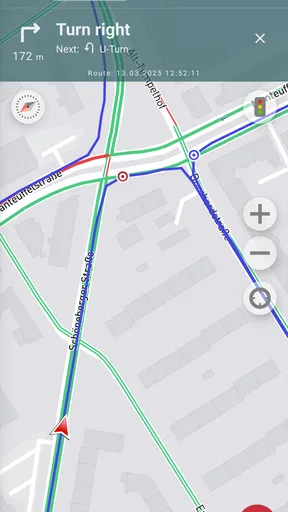
The real magic happens once you hit the start button. The app uses your device’s GPS to record your path, distance traveled, and even your speed. As someone who loves hiking and biking, I found this feature incredibly useful. It’s not just about reaching the destination; it’s about appreciating the journey, and Geo Tracker helps you do just that.
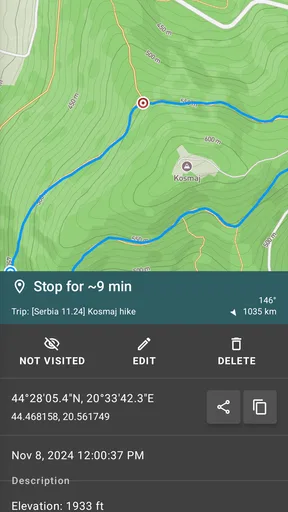
I took it out for a spin during a weekend hike, and it faithfully recorded every twist and turn. What’s cool is that it doesn’t just stop at tracking. You can view your route on a map, and it even lets you add waypoints. For someone who tends to get lost easily, this has been a lifesaver!
Sharing and Reliving Memories
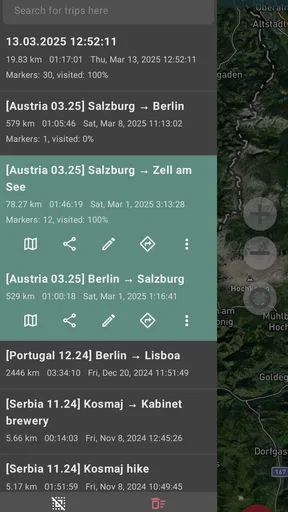
Another feature that stood out for me was the ability to share trips. Once your adventure is over, Geo Tracker allows you to share your journey with friends and family. You can export your tracks in several formats like GPX or KML, making it easy to relive your memories on other platforms such as Google Earth.
I shared a few of my trails with friends, and it sparked a lot of conversations and even some friendly competition. Who knew tracking could be so social?
Customizing Your Experience
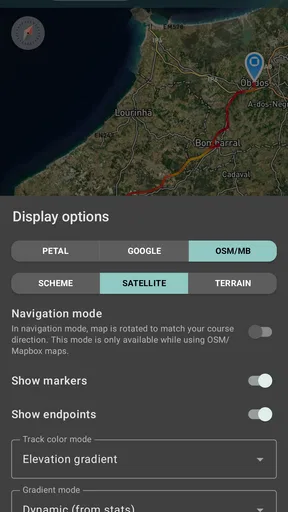
One of the things I really appreciate about Geo Tracker is its level of customization. You can tweak the settings to suit your preferences. Whether it’s changing the units from kilometers to miles or adjusting the frequency of location updates, it gives you the freedom to tailor the app to your needs.
For a tech enthusiast like me, having the power to personalize my experience is a big plus. Plus, it doesn’t hurt that the app is quite gentle on battery consumption. I was initially worried about it draining my phone during long hikes, but thankfully, that wasn’t the case.
Making a track useful after the trip
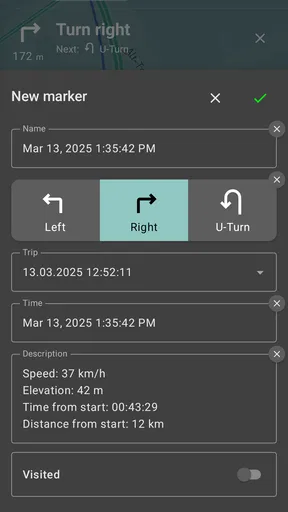
A saved route becomes more useful when I treat it as a note about a place, not just a line on a map. Waypoints can help mark a junction, a picnic stop, or the spot where a group turned back. I try to add them while I still recognize the location, rather than relying on a vague memory days later. On a later visit, the route and those reference points can help me retrace the outing or explain it to someone else.
There is a trade-off between recording detail and keeping a phone ready for a long day outdoors. The update frequency setting gives room to tune how often location points are gathered; I would choose a setting with the intended journey in mind, rather than assume maximum detail is always necessary. A casual walk and a route where precise turns matter do not have identical needs. I would also begin with a charged phone and avoid treating any GPS recording as a replacement for a map, local knowledge, or a sensible backup plan.
For everyday use, a realistic example is a Saturday walk with relatives on a trail no one has visited before. I can start the track at the entrance, add a waypoint where the group takes a break, and stop once we return to the starting point. Later, I can export the route for a relative who wants to repeat it. If we split up or someone needs immediate help, though, a stored route does not solve that problem; calling and a suitable live-location or emergency option matter more.
How it fits beside other travel tools
Geo Tracker occupies a different space from the map app many people already use for directions. A navigation app is usually the better choice when I need a destination, suggested turns, traffic information, or a route recalculated along the way. Geo Tracker is more appealing when I want a record of where I went, including a hike or ride that does not follow a conventional road itinerary. It complements navigation rather than replacing it.
It also differs from a fitness tracker whose main purpose is structured exercise and training feedback. Geo Tracker’s useful angle is the route itself: recording, revisiting, and exporting it. If my priority is coaching, workout plans, or a detailed training program, I would look for a dedicated fitness tool. If I simply want to preserve a bike ride’s path or examine a walking route later, a focused GPS logger is less distracting.
That focus is both its strength and its limit. There is less to learn than in a large outdoor-planning platform, but users who expect a complete trip planner, live group coordination, or social discovery features may find it too narrow. I would choose it for a personal route archive and choose another tool when the central task is navigating, planning with a group, or monitoring someone’s current location.
Geo Tracker is free to download, with in-app purchases ranging from around two dollars to around forty-four dollars per item. It has an average rating of 4.6 from around 105,000 ratings, and more than 10 million installs. It first appeared on January 11, 2013, and version 5.5.1.4624 supports Android 6.0 and later. Those details place it among well-established travel apps, but the best reason to try it is still the simple one: you want to keep a usable record of a journey.
Before making it part of a household routine, I would decide who is allowed to start a recording on a shared phone, where completed tracks should be kept, and who should receive exports. These are practical boundaries, not controls the app can enforce for a family. If each person has their own device, the person recording remains responsible for their own track and sharing choices. A little clarity avoids confusion about whose trip a saved route represents.
A household verdict
Geo Tracker is a sensible choice for households that enjoy walks, rides, or road trips and want to preserve routes for later. It is especially handy when one person can manage a shared phone and the group wants a record rather than constant location updates. I would skip it as the main solution for turn-by-turn navigation, fitness coaching, or keeping tabs on family members in real time. Its age rating is Everyone, it is free to start using, and the app’s focused purpose is easy to understand; the meaningful question is whether your household wants a trip log at all.
One point worth deciding before installing is which platform and device will be used for recording. The listed minimum OS is Android 6.0, and the app is in the Travel & Local category. I would check that the intended phone can run it and that the person carrying it is comfortable using a GPS track recorder. The developer, Ilya Bogdanovich, has kept the concept centered on capturing journeys, so it suits people who prefer a practical record over a feature-heavy travel dashboard.
Customizing Your Experience
One of the things I really appreciate about Geo Tracker is its level of customization. You can tweak the settings to suit your preferences. Whether it’s changing the units from kilometers to miles or adjusting the frequency of location updates, it gives you the freedom to tailor the app to your needs.
For a tech enthusiast like me, having the power to personalize my experience is a big plus. Plus, it doesn’t hurt that the app is quite gentle on battery consumption. I was initially worried about it draining my phone during long hikes, but thankfully, that wasn’t the case.
Wrapping It Up
In a nutshell, Geo Tracker - GPS tracker is a solid choice for anyone who enjoys exploring the outdoors while keeping track of their adventures. It’s easy to use, packed with useful features, and offers just the right amount of customization. Whether you’re an occasional hiker or a seasoned adventurer, this app has something to offer.
If you’re ready to take your adventures to the next level, you might want to give Geo Tracker a try. It’s available on both Android and iOS, and who knows, it might just become your new favorite travel companion.
Verdict
Strengths of Geo Tracker - GPS tracker
- Accurate GPS tracking for outdoor activities.
- Easy-to-use interface for all skill levels.
- Offline maps available for remote areas.
- Share location with friends easily.
- Detailed statistics and trip history.
Limitations of Geo Tracker - GPS tracker
- Consumes battery quickly during use.
- Requires GPS signal, limiting indoor use.
- Limited features in free version.
- Occasional app crashes reported.
- Interface feels outdated to some users.
Similar Picks in This Category
View All
Google Maps
Google LLC3.4

Google Maps Go
Google LLC4.1

Booking.com: Hotels & Travel
Booking.com Hotels & Vacation Rentals4.8

Google Earth
Google LLC3.8

Skyscanner Flights Hotels Cars
Skyscanner Ltd4.8

trivago: Compare hotel prices
trivago N.V.4.4
Frequently Asked Questions
What is Geo Tracker and how does it work?
Geo Tracker is a GPS tracking app designed to help users record and track their journeys, whether they are walking, biking, or driving. It uses GPS technology to accurately map routes, track speed, distance, and altitude. Users can save their paths, review them later, and share with friends or family.
Is Geo Tracker available for both Android and iOS devices?
Currently, Geo Tracker is available for Android devices. Users can download it from the Google Play Store. Unfortunately, there is no iOS version at the moment, so iPhone users will have to look for alternative GPS tracking apps.
Does Geo Tracker require an internet connection to function?
Geo Tracker primarily uses GPS, which does not require an internet connection. However, for features like map downloads, sharing routes, or backing up data to the cloud, an internet connection is necessary. Offline maps can be downloaded in advance for areas with limited connectivity.
What features does Geo Tracker offer for outdoor activities?
Geo Tracker provides detailed statistics for outdoor activities, including real-time speed, distance, altitude, and time tracking. It offers route planning, waypoint marking, and the ability to save and review past journeys. Users can also export data in different formats such as GPX or KML for further analysis.
How does Geo Tracker ensure user privacy and data security?
Geo Tracker prioritizes user privacy by storing data locally on the device. Users have control over their data and can choose to back it up to their preferred cloud storage. The app does not share personal data with third parties without user consent, ensuring a secure experience.
